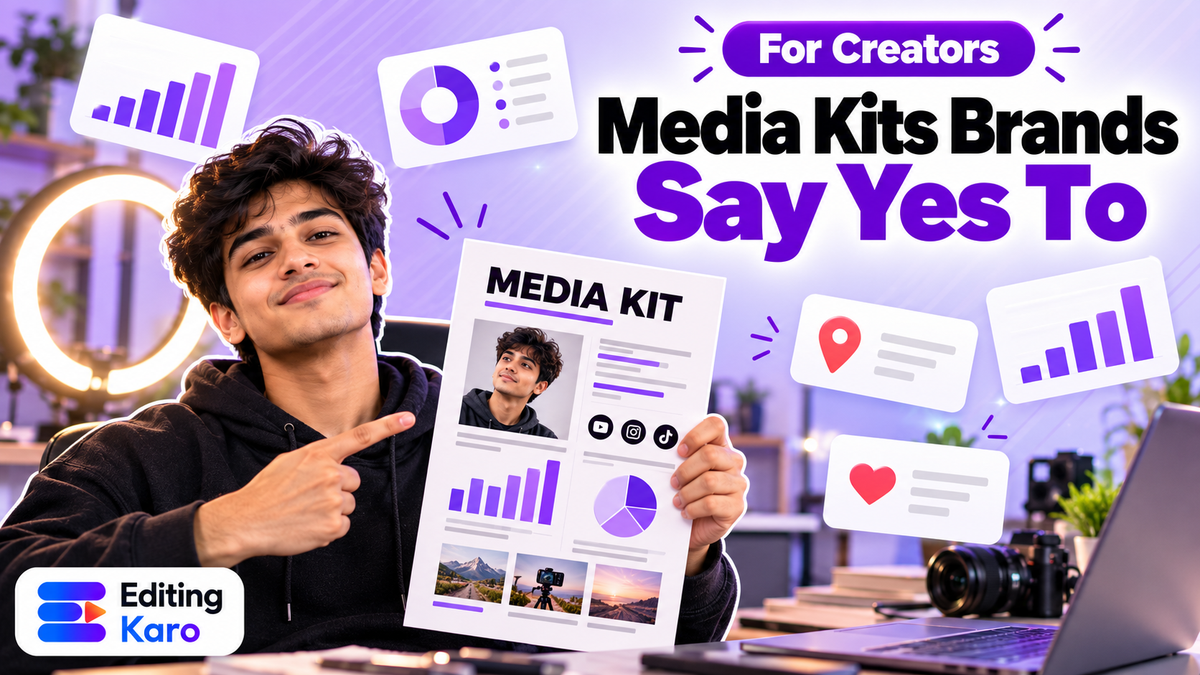
A brand manager might look at thirty creator profiles before lunch. The ones who get a reply aren't always the biggest. They're the ones who make it easy to say yes: clear about their audience, honest about their numbers, and organised enough to send a proper kit when asked.
That kit is what this guide is about. Whether you have 5,000 followers or 500,000, a good media kit and rate card turn "DM for collabs" into actual deals.
What a media kit is for
A media kit answers the questions a brand would otherwise have to ask:
- Who are you and what do you make?
- Who watches you — where, what age, what interests?
- How well does your content perform, recently?
- Who have you worked with, and how did it go?
- What can you offer, and how do they get in touch?
If your kit answers those in one to three pages, it's doing its job. If it takes ten pages, it's a portfolio, and nobody has time for it on a first look.
The essential sections
1. Intro: who you are, in two lines
Your name or handle, a good photo, and a one-sentence description of what you make and for whom.
"I make 30-second home recipes for working people in Bengaluru who want to cook dinner in under 20 minutes."
That's far more useful to a brand than "food lover | content creator | dreamer".
2. Platforms and numbers
List each platform you're pitching, with recent numbers and the date you took them:
| Metric | Why brands care |
|---|---|
| Followers / subscribers | Rough size; least important on its own |
| Average reach or views per post (last 30–90 days) | What a sponsored post is likely to get |
| Engagement rate | Whether people actually react |
| Saves and shares | Whether content is useful enough to keep or pass on |
| Story views (average) | For Story packages |
Use averages over a period, not your single best post. Brands check, and a kit that oversells loses trust fast.
3. Audience
This is often the deciding section. From your platform's insights, include:
- Top cities and countries
- Age range split
- Gender split
- Languages, if you create in more than one
A skincare brand selling only in India doesn't want an audience that's 60% overseas, however big it is. A regional brand might care more about Pune than about total followers.
4. Past collaborations
Two or three examples, each with:
- The brand (with permission, if the deal was confidential)
- What you made (a Reel, a Story series, a YouTube integration)
- A result: reach, views, clicks, code redemptions or sales, if the brand shared them
If you haven't done paid work yet, show sample content you made on your own in the style a brand would want. Label it honestly as a sample.
5. What you offer
List the formats you create: Reels, carousels, Stories, YouTube integrations or dedicated videos, UGC (content the brand posts on its own channels), event appearances, long-term ambassadorships.
6. Contact
Email, a WhatsApp business number, and your handle. Make the email something professional you check daily.
Building the rate card
Pricing is where most creators either guess or copy someone else's number. A better approach is to build your rate from a few factors you can explain.
What goes into a rate
| Factor | Effect on price |
|---|---|
| Average views or reach | The main base for most deals |
| Production effort | A scripted, shot and edited Reel costs more than a Story |
| Niche | Finance, tech and B2B audiences are usually worth more per view than general entertainment |
| Usage rights | If the brand wants to run your video as an ad or post it on its own channels, charge more, and set a time limit |
| Exclusivity | Not working with competitors for a period costs you future deals, so price it |
| Revisions and timelines | Rush jobs and multiple rounds of changes add cost |
Sell packages, not single posts
Packages make it easier for brands to say yes and usually earn you more per deal:
| Package | Example contents |
|---|---|
| Starter | 1 Reel + 3 Stories with a link |
| Campaign | 2 Reels + 1 carousel + 6 Stories over two weeks |
| UGC | 3 videos delivered to the brand for its own use, 3 months' usage |
| Add-ons | Ad usage rights (per month), exclusivity, extra revisions, raw footage |
You can show "starting from" prices, or leave prices off and send the rate card on request. Both are normal. What matters is that you can explain why the number is what it is.
Don't price in followers alone
A rate built only on followers ignores everything brands actually pay for: real views, a focused audience, and good production. If your engagement and audience fit are strong, say so, and price accordingly.
Designing it so it looks professional
You don't need a designer. You need consistency and white space.
- Use your brand colours and fonts. If you haven't chosen them, our guides on brand colour palettes and font pairing help.
- One idea per section. Big numbers, short labels, lots of space.
- Real screenshots of insights (cropped neatly) build trust. Blur anything private.
- Good photos of you or your work. One strong photo beats a collage.
- Export as a PDF under a few megabytes.
In Pixel Studio you can set a custom page size in the A4 portrait shape (or a landscape slide shape), keep your colours and logo in the brand kit, and download each page as a PDF. Update the numbers each month by editing the same design rather than starting over.
Writing the pitch that goes with it
Don't send a kit cold with "Hi, please check my media kit". A short, specific email works far better:
- 1One line on why this brand: "I've been using your sunscreen in my morning routine videos for six months."
- 2One line on your audience fit: "68% of my audience is women 18–30 in metros, the group your new range is for."
- 3One idea: "A 'sunscreen before the commute' Reel, filmed in my real routine."
- 4The kit attached, and a clear next step.
Content Studio has outreach tools that can draft a first version of this email; make sure the details are yours before sending.
Make the kit, and the deliverables, in Editing Karo
A media kit wins the deal. Then you have to deliver, on time and on brief. Editing Karo covers both sides:
- The kit: design it in Pixel Studio as described above, and update the same design each month instead of starting over.
- The pitch: draft outreach emails and LinkedIn messages with Content Studio's outreach tools, then make them specific to each brand.
- The Reels: edit them in Motion Studio with captions in your saved text styles, so sponsored content still looks like your content.
- Carousels, Stories and thumbnails: design them in Pixel Studio at the exact size each platform uses.
- Product shots: clean up a brand's product with Background Remover or AI Image Enhancer before it goes in your post.
- Voiceovers and music: generate them in the Audio desk when a brief calls for narration or a custom track.
Brands remember creators who send clean, on-brand files without chasing. Having your whole toolkit in one tab makes that easier to do every single time.
Disclosures: ASCI's rules for paid content
In India, the Advertising Standards Council of India (ASCI) requires influencers to clearly disclose any material connection with a brand: payment, free products, discounts, or a personal or business relationship (ASCI guidelines).
The basics:
- Use an approved label, such as Ad, Advertisement, Sponsored, Collaboration, Partnership, Employee or Free gift. Vague tags hidden in a pile of hashtags don't count.
- Make it upfront and prominent: at the start of the caption, on the image or in the video itself, not after "…more".
- For video, put the disclosure on screen for long enough to read; for audio-only or live content, say it.
- Health and finance creators face extra rules about qualifications and claims.
- Virtual influencers must also tell audiences they aren't real people.
Use the platform's paid partnership label as well, but don't rely on it alone. Mention in your media kit that you follow ASCI guidelines; it reassures brands that you won't create a compliance problem for them.
A media kit checklist
| Section | Done? |
|---|---|
| One-line description of what you make and for whom | |
| Platforms with recent average reach/views (dated) | |
| Engagement, saves, shares | |
| Audience: cities, age, gender, languages | |
| 2–3 past collaborations or samples, with results | |
| Formats you offer | |
| Rate card or "rates on request" | |
| Contact email and number | |
| Note on ASCI-compliant disclosures | |
| PDF under a few MB |
Keep it short, keep it current, and keep it honest. A brand that trusts your numbers is a brand that comes back for the second campaign, and the second campaign is where creator income actually becomes steady.
Open Pixel Studio, set up an A4-shaped page, and make version one of your media kit this week. Your next brand reply might depend on it.
Frequently asked questions
Do small creators need a media kit?
Yes. Brands increasingly work with nano and micro creators because their audiences are focused and engaged. A clean one-page kit makes a small creator look organised and easy to work with, which often matters more than size.
Should I put my prices in the media kit?
Many creators keep the media kit free of prices and send a separate rate card when a brand asks, so they can tailor it. If you include prices, show starting prices per package and note that final rates depend on scope, usage rights and timelines.
How often should I update my media kit?
Refresh the numbers every month or two, and always before sending it for a big pitch. Brands notice old screenshots, and your recent performance is what they're buying.
What file format should a media kit be?
A PDF, so it looks the same on every device and is easy to attach to an email or send on WhatsApp. Keep it under a few megabytes. Some creators also keep a simple link-in-bio page with the same information.
Do I have to label sponsored posts in India?
Yes. ASCI's influencer guidelines require a clear, upfront disclosure when there's a material connection with a brand, such as payment, free products or a relationship. Use an approved label like Ad, Advertisement, Sponsored, Collaboration or Partnership, placed where viewers will see it immediately.