Google Business Profile Photos and Posts: How Local Shops Get Found (and Chosen) on Maps
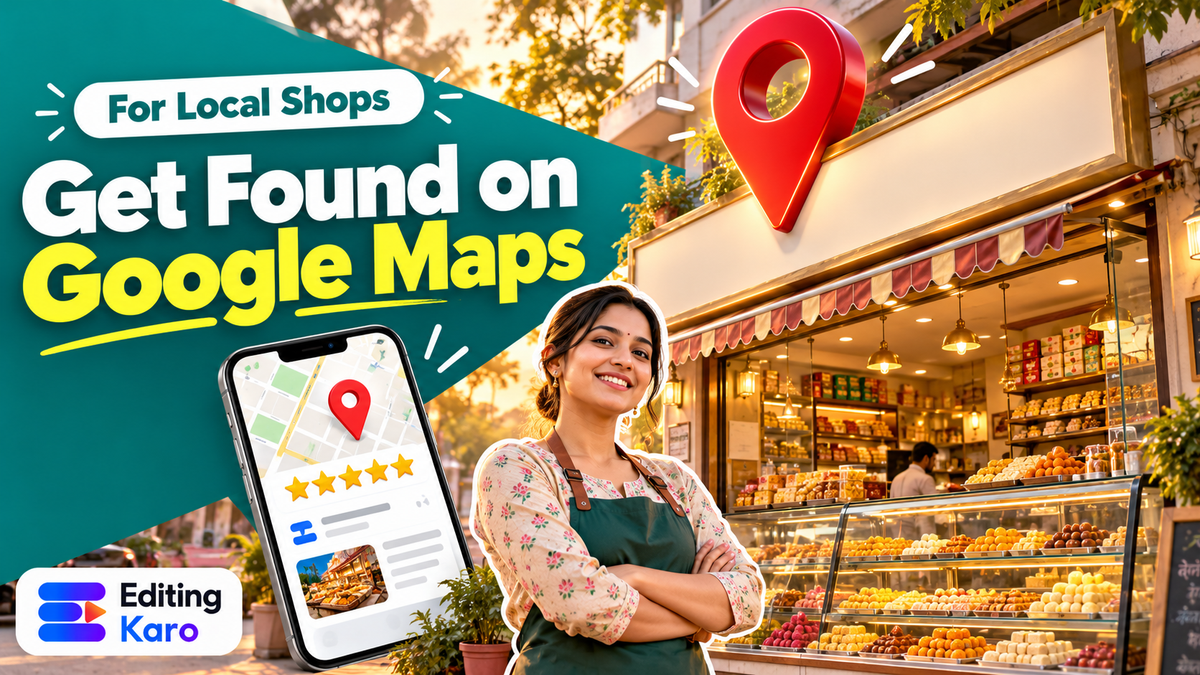
When someone searches "sweet shop near me", "AC repair in Andheri" or just your business name, Google often shows a box before any website: your Google Business Profile. Name, stars, photos, hours, a call button, directions.
For a lot of local businesses, that box is the website. People decide in seconds, often without ever visiting a page you control. And what they're mostly looking at is your photos and your reviews.
This guide is about getting those right.
How Google picks which businesses to show
Google says local results are based mainly on three things (Google Business Profile Help):
- Relevance: how well your profile matches what was searched
- Distance: how far you are from the searcher, or the location they searched for
- Prominence: how well known your business is, including reviews and activity across the web
You can't change distance. You can improve relevance (accurate categories, services and description) and prominence (reviews, an active profile, photos people engage with). Photos and posts don't flip a ranking switch on their own, but they're a big part of why someone taps your listing instead of the one above it.
Get the basics right first
Before photos, check the information people act on:
- Business name exactly as on your signboard, without keywords stuffed in
- Primary category that describes what you are ("Bakery", not "Food")
- Hours, including special hours for Diwali, Christmas and other holidays
- Phone number that someone actually answers
- Location pin in the right place, so directions don't send people to the wrong lane
- Services or products, with prices if you're comfortable
A profile with wrong hours loses customers who drive over to a closed shutter, and they leave reviews about it.
The photos every local business should have
Think about what a first-time customer wants to know.
| Photo | Why it matters |
|---|---|
| Shop front, in daylight | So people recognise you from the street |
| Shop front with signboard close up | Confirms they've found the right place |
| Interior | Shows the space: clean, busy, cosy, spacious |
| Products or dishes | What they'll actually buy |
| Team at work | Real people build trust |
| Logo | Shown as your profile image |
| Cover photo | The first impression; your best single image |
Restaurants should add menu photos and popular dishes. Salons and clinics should show treatment rooms and cleanliness. Service businesses (plumbers, electricians, tutors) can show work in progress and finished jobs.
Photo specifications
Google doesn't publish a single neat spec sheet for every photo type, but widely used guidance is:
| Spec | Recommendation |
|---|---|
| Format | JPG or PNG |
| File size | 10 KB to 5 MB |
| Minimum size | 250 × 250 pixels |
| Recommended size | 720 × 720 pixels or larger |
| Post images | Landscape 4:3 (for example 1200 × 900) crops well |
| Quality | In focus, well lit, no heavy filters |
If a photo is over 5 MB, our free image compressor shrinks it without visible loss, and the image resizer sets the exact size. The compression guide explains how.
How to take better shop photos with a phone
You don't need a photographer.
- Shoot in daylight. For the shop front, mid-morning or late afternoon, with the shutter fully up and the area clear.
- Clean the lens. It sounds obvious; it fixes half of all blurry phone photos.
- Turn on all the lights inside for interior shots, and shoot from a corner to show depth.
- Hold the phone straight. Tilted shop fronts look careless.
- Shoot products on a plain surface near a window. Our guide to AI product photos also covers simple real-photo setups.
- Don't use heavy filters. Customers should recognise the place when they arrive.
Light retouching is fine: straighten, brighten, crop. In Pixel Studio, the AI Image Enhancer fixes exposure and colour in one click, and Magic Eraser can remove a stray bin or scooter from a shop-front photo. Don't use AI to add things that aren't really there, such as a bigger space or products you don't stock. Google's policies require photos to represent the real business, and customers will notice.
Posts: your free mini-ads
Google Business Profile lets you publish posts that appear on your profile: updates, offers and events. They're free, and they show people that you're active.
Good post ideas:
- Offers: "Flat 20% off on all sarees this weekend", with an end date
- New arrivals: this week's products, with a photo
- Events: a workshop, a tasting, a sale day
- Seasonal updates: festival hours, special menus, gift boxes
- Useful tips: a quick how-to related to what you sell
Each post has room for one image and some text, plus a button like Call, Order online or Learn more.
Designing a post image
- Use a landscape 4:3 image so it isn't awkwardly cropped
- Keep text short and large: the offer and the date, nothing more
- Put the product or place in the photo, not just words on a coloured background
- Use your brand colours so posts look consistent
You can set a custom 1200 × 900 canvas in Pixel Studio, or adapt a design you've already made for Instagram. Write the post text in plain language with your area name in it ("Fresh jalebi every morning at our Lajpat Nagar shop"), because that's how people search.
Reviews: the part people read most
Photos get attention; reviews win decisions.
Ask for them
The best time is right after a good experience. Print a QR code linking to your review page and keep it at the counter, or send the link on WhatsApp after a delivery. Our free QR code generator makes one, and the UPI QR guide covers printing a code that scans reliably.
Don't offer discounts or gifts in exchange for reviews, and don't write fake ones. Both break Google's policies and can get reviews removed or the profile restricted.
Reply to every review
- Positive reviews: thank them by name and mention something specific. "Thank you, Priya! Glad the red velvet worked for your daughter's birthday."
- Negative reviews: stay calm, apologise for the experience, explain briefly if there's context, and offer to fix it offline. Future customers read your reply more closely than the complaint.
- Reply in the language of the review where you can.
Need a starting point for a tricky reply? Content Studio can draft a polite response; edit it so it sounds like you and mentions the actual issue.
Doing it all from Editing Karo
None of this needs an agency. With Editing Karo open on your phone or laptop:
- Clean up shop photos in Pixel Studio: AI Image Enhancer for dull light, Magic Eraser for a parked bike in front of the shutter, Super Resolution 4K for an old low-resolution photo.
- Make post images on a 1200 × 900 canvas with your logo and colours from the brand kit, so every offer looks like it comes from the same shop.
- Write posts and review replies in Content Studio, in English, Hindi or Hinglish, then edit them to sound like you.
- Get files right with the free browser tools, no sign-up needed: the image compressor, image resizer and QR code generator.
- Reuse the work: the same offer design, resized, becomes an Instagram post, a WhatsApp Status and a printed counter card.
A monthly routine for a busy owner
| When | Task | Time |
|---|---|---|
| Weekly | Reply to new reviews and questions | 10 min |
| Every week or two | Publish one post (offer, new product, or update) | 15 min |
| Monthly | Add 3 to 5 new photos | 15 min |
| Before holidays | Update special hours | 5 min |
| Every few months | Check category, services, phone and description | 15 min |
Under an hour a month. Few marketing activities give a local business that much visibility for that little time.
Common mistakes
- Only one old, dark photo of the shop front
- Stock photos of products you don't sell
- Wrong hours on festival days
- Keyword-stuffed business names ("Best Cheap Mobile Repair Shop Near Me"), which can get a profile suspended
- Ignoring negative reviews
- Posting once and forgetting
Your Google Business Profile is a shop window that's open all day, on every phone in your area. A little care each month keeps it clean, current and inviting.
Set aside 20 minutes this week: add five fresh photos, publish one post and reply to every review. Editing Karo's free tools and the Free plan in Pixel Studio are enough to start.
Frequently asked questions
Do photos help my business rank higher on Google Maps?
Google says local ranking is mainly based on relevance, distance and prominence. Photos aren't a direct switch, but a complete, active profile with good photos and reviews helps people choose you, and the clicks, calls and direction requests that follow are part of being prominent.
What size should Google Business Profile photos be?
Widely used guidance is JPG or PNG, between 10 KB and 5 MB, at least 250 × 250 pixels, with around 720 × 720 pixels recommended. Larger, sharp photos are fine. For posts, a landscape 4:3 image such as 1200 × 900 crops well.
Can I use stock photos on my Google Business Profile?
Avoid it. Google's guidelines say photos should represent the actual business, and customers want to see the real place and products. Stock photos can be removed and make a listing look less trustworthy.
Why are customers' photos showing before mine?
Google decides which photos to show and can mix owner and customer photos. You can't fully control it, but adding good, recent photos regularly gives Google better options, and you can report customer photos that break the rules.
How often should I post on Google Business Profile?
Every week or two is a good rhythm for most shops. Offers and events have end dates, so post them with enough time for people to act. An active profile signals that the business is open and cared for.
Keep reading
All guides
Small business30 Oct 2026
Instagram and Facebook Ad Creatives on a Small Budget: How to Design Ads That Earn the Click

Small business30 Oct 2026
WhatsApp Business for Small Shops: Catalogue, Status and Broadcasts That Don't Annoy Customers

Small business7 Oct 2026