WhatsApp Business for Small Shops: Catalogue, Status and Broadcasts That Don't Annoy Customers

In India, WhatsApp is where customers already are. They ask about prices there, send photos of what they want, share your number with friends, and expect a reply within minutes, not days.
Most small shops use it the way they use personal WhatsApp: whoever's free replies, product photos are forwarded from the gallery, and offers go out as long forwards that customers mute. The free WhatsApp Business app can do much more than that.
This guide covers setting it up properly, making it look good, and using Status and broadcasts in a way customers welcome rather than ignore.
Why WhatsApp matters so much for small shops
WhatsApp has hundreds of millions of users in India, more than in any other country, and over the past few years customers have come to expect businesses to be on it. Meta has steadily added business features: catalogues, payments in some markets, click-to-WhatsApp ads, and in 2025 it announced ads and promoted channels in the Updates tab where Status lives (Meta).
For a small shop, the appeal is simple. It's free, customers already know how to use it, and a chat feels personal in a way a website doesn't.
Step 1: Set up the business profile
Download WhatsApp Business (it's a separate app) and register your shop's number. Then fill in every field:
| Field | What to put |
|---|---|
| Profile photo | Your logo, square, readable in a small circle |
| Business name | Exactly as on your signboard |
| Category | The closest match (Bakery, Clothing store, Electronics…) |
| Description | One or two lines: what you sell, where, and what's special |
| Address | With a correct location pin |
| Hours | Including your weekly holiday |
| Website / Instagram | Links customers can tap |
The profile picture matters more than people think. It's tiny in every chat list. A clean logo that works small (our logo guide covers the tiny-size test) looks far more trustworthy than a blurry shop photo.
Step 2: Build a catalogue customers can browse
The catalogue turns your profile into a mini shop. Customers can browse products, see prices, and send you an item straight into the chat.
Photos that sell
- Square photos around 1080 × 1080 pixels look clean in the grid
- Plain background — a white wall, a sheet of chart paper, a wooden table
- Daylight, near a window, no harsh flash
- The whole product, centred, with a little space around it
- Consistent style across items, so the catalogue looks like one shop
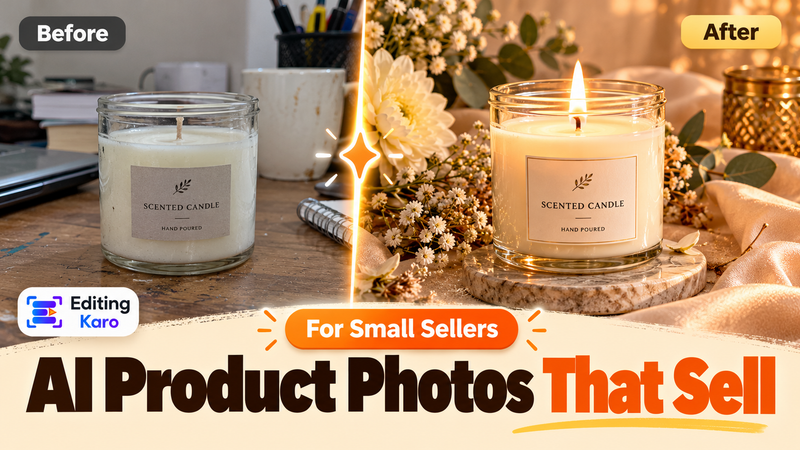
Pixel Studio's Background Remover can cut a product out of a cluttered photo and place it on a clean colour, and AI Image Enhancer fixes dull lighting. Keep it honest: the product should look exactly like what the customer receives. Our AI product photos guide explains where AI helps and where it crosses the line.
If photos are large, the free image compressor shrinks them so they load quickly on mobile data.
Names, prices and descriptions
- Name: what the customer would search, not an internal code. "Cotton kurti, indigo block print" beats "KT-0423".
- Price: show it if you can. Customers who have to ask "price?" often don't.
- Description: size, material, colours available, and one line on what makes it good.
Organise items into collections (New arrivals, Under ₹499, Festive, Kids) so customers can browse quickly.
Step 3: Make replies fast and consistent
Customers judge you on reply speed. These free features help:
| Feature | Use it for |
|---|---|
| Greeting message | Automatic hello to new customers, with what you sell and how to order |
| Away message | Outside hours: when you'll reply, so nobody feels ignored |
| Quick replies | Saved answers to common questions: prices, delivery, payment, return policy. Type "/" to use them |
| Labels | Tag chats: New order, Paid, Delivered, Follow up |
Write your quick replies once, carefully. Content Studio can help draft them in a friendly tone, in English, Hindi or Hinglish; edit them so they sound like you.
A set of labels like New enquiry → Order placed → Paid → Shipped → Delivered works as a simple order tracker without any extra software.
Step 4: Use Status as a shop window
Status is WhatsApp's 24-hour Stories feature, and for many shops it's the most-watched marketing they do. Customers who've saved your number see your updates when they check Status.
What works:
- New stock, the day it arrives
- Today's special or fresh batch
- A quick video of a product in use
- Behind the scenes: packing orders, cooking, stitching
- A limited offer with a clear end time
- Customer photos and reviews (with permission)
Design tips:
- Use the full 1080 × 1920 vertical size
- Keep text big and short, and away from the very top and bottom edges
- Use your brand colours and fonts so updates are recognisable at a glance
- Mix photos, short videos and simple text cards
A few Status updates a week is plenty. Ten a day and customers start skipping straight past you. Our repurposing guide shows how one idea can fill a week of Status and Instagram posts.
Step 5: Broadcasts customers actually want
Broadcast lists send one message to many customers at once, and each person receives it as a normal individual chat. One important rule: in the WhatsApp Business app, broadcasts reach only people who have saved your number.
That's actually a good filter. It means broadcasts go to people who chose to hear from you. Respect that:
- Ask first. "Would you like a message when new stock arrives?" Add only people who say yes.
- Segment. Separate lists for wholesale buyers, regular customers, and festive-season shoppers.
- Keep it occasional. Once or twice a week at most, and only when there's something worth saying.
- Make it useful. A clear photo, one offer, the price, and how to order. Not a wall of emojis.
- Make it easy to stop. "Reply STOP if you'd rather not get these" keeps your number from being reported.
Customers who are spammed can block or report your number, and too many reports can get a business number restricted. One good message a week beats five ignored ones.
Getting customers to save your number
Every broadcast and Status depends on customers saving your number. Make it easy:
- Print a WhatsApp QR code on bills, bags, visiting cards and the counter. WhatsApp Business can generate a QR code and short link for your chat, or use our free QR code generator.
- Add a line to your bill: "Save our number for new arrivals and offers."
- Put the WhatsApp link on your Instagram bio and Google Business Profile.
- Use click-to-WhatsApp ads if you run Instagram or Facebook ads, so interested people land straight in a chat. Our ad creatives guide covers making them.
Your WhatsApp content kit in Editing Karo
WhatsApp rewards shops that look organised. Editing Karo gives you every piece:
| WhatsApp need | In Editing Karo |
|---|---|
| Catalogue photos | Pixel Studio: Background Remover for clean cut-outs, AI Image Enhancer for better light, on a square canvas |
| Product names and descriptions | Content Studio → E-commerce drafts descriptions in your tone; you check sizes, materials and prices |
| Status updates | Story-size designs in Pixel Studio for offers and arrivals; short product videos in Motion Studio |
| Greeting, away and quick replies | Content Studio drafts in English, Hindi or Hinglish |
| Profile picture | Your logo from the brand kit, tested at small size |
| QR code for the counter | The free QR code generator |
Make one Status design (your colours, your logo, a space for the product photo and price) and each new arrival takes a couple of minutes to post.
When to move to the WhatsApp Business Platform (API)
The free app works well for most small shops. You might outgrow it when:
- Several staff need to answer chats at the same time
- You want automated order updates, chatbots or CRM integration
- You need to send marketing messages to thousands of customers
That's what the WhatsApp Business Platform (often called the API) is for, usually through an official partner. It charges per message for marketing and some other conversation types, so plan the cost before switching.
Mistakes that cost sales
- Slow replies with no away message
- No prices anywhere, so every chat starts with "price?"
- Blurry forwarded photos instead of a proper catalogue
- Daily broadcasts that get your number muted or blocked
- Adding people to groups without asking
- A personal profile photo or no description on the business profile
A simple weekly rhythm
| Day | Task | Time |
|---|---|---|
| Monday | Add new items to the catalogue | 20 min |
| Mon, Wed, Fri | Post a Status update | 5 min each |
| Thursday | One broadcast with the week's best offer or arrival | 10 min |
| Daily | Reply to chats, update labels | As needed |
WhatsApp works because it feels personal. Keep it fast, keep it useful, and treat every message like you're talking to a regular customer at the counter, because that's exactly what it is.
Start with ten products: clean square photos from Pixel Studio, short descriptions from Content Studio, and a catalogue your customers can actually browse. It's free to begin.
Frequently asked questions
What's the difference between WhatsApp and WhatsApp Business?
WhatsApp Business is a separate free app made for businesses. It adds a business profile, catalogue, quick replies, labels, greeting and away messages, and basic statistics. Customers use their normal WhatsApp to chat with you.
What size should WhatsApp catalogue photos be?
Square photos around 1080 × 1080 pixels work well and display cleanly in the catalogue grid. Use a plain background, good light, and show the whole product. Keep files reasonably small so they load quickly on mobile data.
Why aren't my broadcast messages reaching some customers?
In the WhatsApp Business app, broadcast messages are delivered only to contacts who have saved your number in their phone. Ask customers to save your number, for example on your bill, bag or QR code.
How often should I post on WhatsApp Status?
Three to five times a week is a good rhythm for most shops. Status disappears after 24 hours, so it suits fresh stock, daily specials and time-limited offers. Customers who check Status regularly treat it like a shop window.
Is the WhatsApp Business API better than the app?
The API (WhatsApp Business Platform) suits larger businesses that need multiple agents, automation, chatbots and marketing messages at scale, and it charges per message. For a small shop handling chats from one or two phones, the free app is usually enough.
Keep reading
All guides
Small business30 Oct 2026
Google Business Profile Photos and Posts: How Local Shops Get Found (and Chosen) on Maps

Small business30 Oct 2026
Instagram and Facebook Ad Creatives on a Small Budget: How to Design Ads That Earn the Click
Small business7 Oct 2026