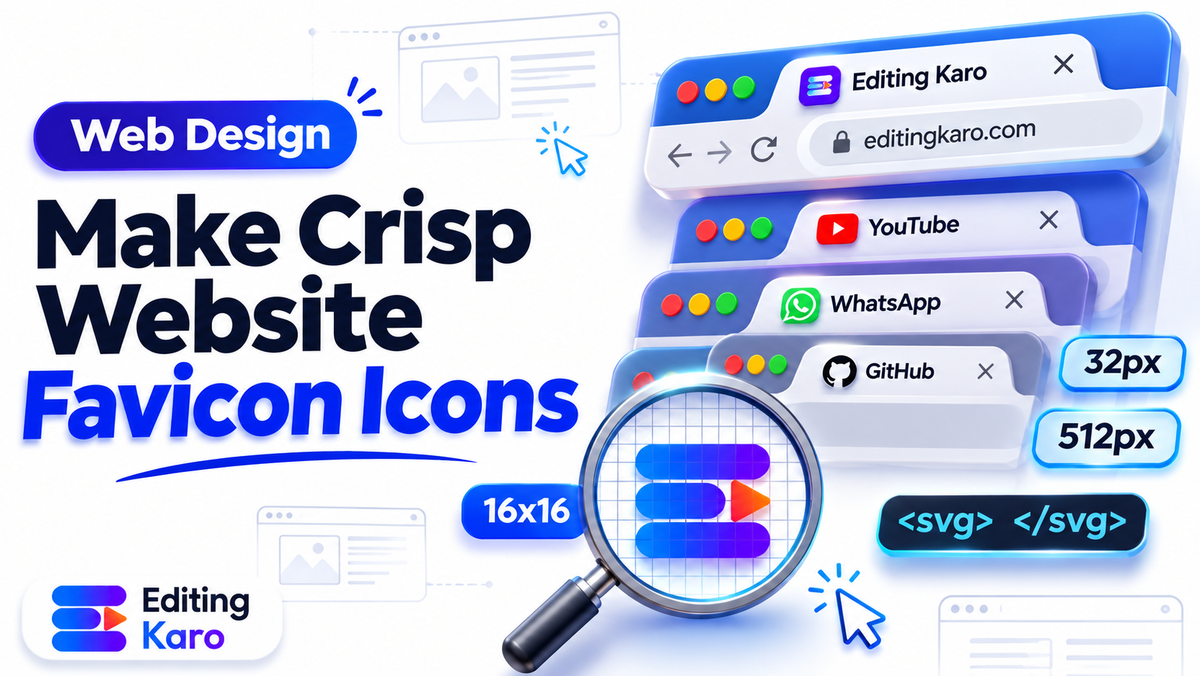
Look at the top of your web browser right now. You probably have fifteen to thirty tabs open.
How do your eyes find the exact tab you need? You do not read the truncated page titles.
Your eyes scan across the tiny 16 × 16 pixel squares resting on the left edge of each tab. If a tab displays a distinct, high-contrast icon, you click it instantly. If it displays an empty grey globe or a blurry pixelated smudge, you hesitate.
That tiny square is your favicon. It is the smallest visual ambassador of your brand, yet it carries immense responsibility. It appears across browser tabs, bookmark bars, mobile home screens, and next to your domain name in Google Search results.
Following a thorough favicon design guide prevents common mistakes like muddy rendering, invisible dark-mode strokes, and bloated load times.
Here is how to design, format, and deploy a razor-sharp favicon that commands attention on modern screens.
The multi-resolution asset stack in 2026
Ten years ago, web developers simply dropped an arbitrary 16 × 16 pixel .ico file into the server root. Today, devices range from high-density 4K computer monitors to Retina iPhones and progressive web applications.
To ensure your brand appears crisp on every surface, prepare this streamlined four-file asset stack:
| Asset Name | Resolution | Format | Primary Purpose |
|---|---|---|---|
| favicon.ico | 16×16, 32×32, 48×48 bundled | Multi-bitmap ICO | Universal legacy browser support and server root fallback |
| favicon.svg | Infinite vector scale | Vector SVG | Modern desktop browser tabs with dark mode CSS styling |
| apple-touch-icon.png | 180 × 180 pixels | Lossless PNG | iOS and iPadOS home-screen bookmark shortcuts |
| icon-192 / icon-512 | 192×192, 512×512 pixels | PNG | Android Chrome install prompts and PWA web app manifests |
According to official Google Search Central documentation on favicons, Google crawlers require a square favicon that is a multiple of 48 pixels (such as 48 × 48 or 96 × 96) to display properly next to search snippets.
Design rules: simplifying for 16 × 16 pixels
The most frequent mistake businesses make is shrinking their primary horizontal logo down into a favicon canvas.
Take a concrete example: imagine a direct-to-consumer Ayurvedic skincare brand in Ahmedabad launching a new Shopify storefront.
Their full brand logo features an intricate hand-drawn lotus flower, an elegant serif company name, and a tagline reading "Pure Himalayan Botanicals".
When they scale that whole horizontal banner down to 16 × 16 pixels, the lotus becomes a grey speck and the words turn into broken noise.
Instead, they extract a single bold geometric petal shape from the lotus, thicken the outline, and place it on a vibrant forest green circular badge. In a crowded browser tab, that vibrant green petal stands out instantly.
Follow these design principles when simplifying your icon:
1. Maximize canvas fill
In a 16 × 16 grid, you only have 256 pixels in total. Do not waste space with wide empty margins. Let your emblem occupy at least 80 to 90 percent of the canvas width and height.
2. Thicken fine strokes
Fine hairline strokes that look delicate on a business card completely disappear at 16 pixels. Thicken vector outlines so they occupy at least two to three full pixels in width.
3. Stick to one or two high-contrast colours
Complex color gradients turn muddy at small sizes. Use two bold, contrasting brand colours. Review our brand colour palette guide to choose hues with strong optical separation.
4. Test at actual 100% zoom
Always zoom out to 100 percent (16 × 16 pixels on your screen) while designing. If you cannot identify the symbol in one quick glance from two feet away, simplify the shape further. When simplifying brand assets, review our rules for small business logo design.
Conquering dark mode browser tabs
Modern operating systems allow users to switch between light and dark system appearances. Web browsers follow suit: a user might view your website against a dark charcoal tab bar or a bright white interface.
When black vector lines are placed on a transparent background, the icon completely disappears against a dark-themed browser tab.
You have two reliable solutions:
Solution A: The solid background badge
Enclose your symbol inside a solid circle or rounded square featuring your primary brand colour. A white symbol inside a vibrant cobalt blue or emerald square remains perfectly legible on both white and pitch-black tab bars.
Solution B: Modern SVG with media queries
Modern browsers support SVG favicons containing embedded CSS media queries. This allows the icon to adapt dynamically to the user's system theme. In an SVG file, you can wrap path fills inside a style block with @media (prefers-color-scheme: dark) so the stroke color automatically flips from dark charcoal on light tabs to bright white on dark tabs.
Step 1: Export a master 512 × 512 artwork
Begin your design work on a high-resolution 512 × 512 pixel canvas. This high-density master file guarantees that your exported icons will retain crisp geometry when downsampled to lower resolutions.
- 1Create a 512 × 512 square document in Pixel Studio.
- 2Draw your simplified emblem using clean vector shapes.
- 3Align the shape perfectly to the horizontal and vertical center of the canvas.
- 4Export the artwork as a lossless 32-bit transparent PNG.
Review our technical guide on how to compress images without losing quality to ensure your source graphic remains sharp before downsampling.
Step 2: Generate multi-size assets and HTML markup
Once you have your clean 512 × 512 master PNG, run it through our free favicon generator. The tool automatically generates your multi-resolution ICO file, Apple Touch PNG, and manifest assets in a single downloadable zip bundle.
If you ever need to prepare individual custom dimensions, our free image resizer allows you to export exact square aspect ratios with clean bicubic interpolation.
To link your new favicon files correctly, insert standard link tags into the head section of your HTML document. Point a link tag with rel="icon" and type="image/svg+xml" to your SVG file for modern browsers. Add a fallback link tag with rel="alternate icon" pointing to favicon.ico, and an apple-touch-icon link tag pointing to your 180 × 180 PNG file. Finally, reference your web manifest using a link tag pointing to site.webmanifest.
Guidelines maintained by the W3C Web Application Manifest Working Group specify that declaring standard 192px and 512px icons inside your web manifest guarantees clean home screen installation across modern Android mobile operating systems.
Cross-browser rendering across major engines
Different browser engines handle favicon scaling and caching with distinct quirks. Understanding these differences saves hours of debugging:
WebKit (Apple Safari)
Safari on macOS and iOS is notoriously strict about caching. Safari often prioritizes mask-icons or touch icons when pinning tabs. If Safari fails to update your favicon after a site refresh, you must clear the WebKit icon cache folder in your system library or test inside a private browsing window.
Blink (Google Chrome and Microsoft Edge)
Chrome prioritizes SVG favicons when declared with the proper MIME type. Chrome also dynamically updates tab icons when you modify the DOM link tag with JavaScript, which is useful for displaying unread notification badges or status dots.
Gecko (Mozilla Firefox)
Firefox provides excellent support for SVG favicons and dark mode media queries. If your SVG code contains external style references, Firefox will block them for security; all CSS styles must remain embedded directly within the SVG file itself.
Doing it in Editing Karo
Editing Karo gives you every graphic design and file generation utility needed to build, polish, and package professional website icons without third-party subscriptions.
Here is how our tool ecosystem handles your favicon workflow:
| Stage | Studio or Tool | What it delivers |
|---|---|---|
| Icon drafting & vector design | Pixel Studio | Draw 512 × 512 master icons with precise vector alignment tools |
| Multi-size asset packaging | Favicon Generator | Convert master PNGs into complete multi-size ICO and PNG bundles |
| Dimension formatting | Image Resizer | Resize custom graphics to 16, 32, 48, 180, and 512 pixel dimensions |
| Lossless file compression | Image Compressor | Squeeze asset file sizes under 10 KB to preserve Core Web Vitals speed |
All free tools on Editing Karo require no account registration. If you want to design, save, and iterate on brand logos, opening an Editing Karo account allows you to maintain consistent brand assets across all four studios.
A pre-launch favicon deployment checklist
Before launching your updated website favicon, verify these five operational checks:
- [ ] Dual-theme legibility: Did you test your favicon in both Chrome light theme and dark theme?
- [ ] Favicon.ico in root: Is a physical favicon.ico placed at yoursite.com/favicon.ico for legacy bots?
- [ ] Search snippet compliance: Is your Google search favicon formatted as a multiple of 48 pixels?
- [ ] Mobile home-screen test: Did you add your site to an iPhone home screen to test the Apple Touch icon?
- [ ] Cache refresh: Did you hard-refresh your browser cache to confirm the new icon renders cleanly?
Make your website tabs impossible to overlook. Open our free Favicon Generator today, convert your brand mark into a crisp icon bundle, and strengthen your website presence across every browser tab.
Frequently asked questions
What is a favicon?
A favicon is a miniature icon associated with a website. Browsers display it next to the page title on browser tabs, inside bookmark lists, in browsing history, and next to URLs in search engine results.
What size should a favicon be in 2026?
The standard multi-resolution ICO file bundles 16 × 16, 32 × 32, and 48 × 48 pixel bitmaps. In addition, websites need a 180 × 180 pixel PNG for Apple Touch devices and 192 × 192 and 512 × 512 pixel icons for web app manifests.
Should I use SVG or ICO format for modern favicons?
Use both. Modern browsers like Chrome, Firefox, Safari, and Edge prefer crisp, lightweight vector SVG favicons that scale infinitely and support dark mode CSS media queries. An ICO fallback file ensures legacy browser compatibility.
Why does my favicon look blurry on Retina screens?
If your server only delivers an old 16 × 16 pixel file, high-density Retina and 4K displays will stretch those 16 pixels across 32 or 48 physical hardware pixels. Providing a multi-size ICO or SVG eliminates blurriness.
How does Google Search display favicons?
Google displays favicons next to search result snippets on mobile and desktop. Google guidelines require the favicon to be a multiple of 48 pixels square (such as 48 × 48, 96 × 96, or 144 × 144) and publicly crawlable.
How do I make a favicon visible in both light and dark mode?
Enclose your icon graphic inside a solid rounded background badge, or use an SVG favicon with embedded CSS media queries that toggle icon stroke colors automatically when the operating system switches to dark mode.
Can I just shrink my full horizontal brand logo into a favicon?
No, shrinking a full horizontal logo with taglines down to 16 × 16 pixels turns the letters into an unreadable smudge. Isolate your primary logomark, monogram, or initial letter instead.
What is an Apple Touch Icon?
An Apple Touch Icon is a 180 × 180 pixel square PNG image used when an iOS or iPadOS user saves your website to their home screen as a web shortcut. iOS automatically applies standard rounded corners.
Where should favicon files be stored on a web server?
Place the primary favicon.ico file in the root directory of your website domain (for example, yoursite.com/favicon.ico). Place supplementary PNG and SVG files in your public assets folder and link them in your HTML head.
What HTML tags are required for modern favicons?
Include a link tag with rel='icon' and type='image/svg+xml', a link tag with rel='alternate icon' for favicon.ico, and a link tag with rel='apple-touch-icon' pointing to your 180 × 180 PNG file.
How do I clear browser cache to see my new favicon?
Browsers cache favicons aggressively. Perform a hard refresh (Cmd + Shift + R on Mac or Ctrl + F5 on Windows), open an incognito window, or append a temporary version query string like favicon.ico?v=2 to your HTML link tag.
What is the web app manifest icon size?
Progressive Web Apps (PWAs) require 192 × 192 and 512 × 512 pixel PNG icons declared in the site.webmanifest JSON file, which Android and desktop systems use during home screen installation.
Should favicon backgrounds be transparent or solid?
Transparent backgrounds look elegant when the icon has strong contrast against both black and white tabs. However, a solid rounded brand-color background ensures consistent legibility regardless of browser theme.
Website favicon kaise banaye free me?
Design a 512 × 512 square icon with bold lines, export as PNG, upload to a free favicon generator tool, and download the multi-size ICO, PNG, and HTML code bundle.
Can animated GIF favicons be used?
While some desktop browsers support animated GIF favicons, they consume unnecessary battery power, distract users from reading tab titles, and are unsupported on most mobile browsers.
What file size should a favicon be?
A multi-size ICO file containing 16px, 32px, and 48px bitmaps should weigh under 25 KB. An SVG favicon should be under 5 KB, and individual PNG files should stay below 10 KB.
How does a favicon affect brand trust and SEO?
A missing or broken default globe favicon signals an incomplete, unprofessional website. A crisp custom favicon reinforces brand recognition in browser tab bars and improves search snippet click-through rates.
Can I generate favicons in Editing Karo?
Yes, Editing Karo features a dedicated free Favicon Generator tool that converts high-resolution images into multi-size ICO packages, Apple Touch icons, and web manifest assets.
How do I design a favicon icon in Pixel Studio?
Create a 512 × 512 square canvas in Pixel Studio, draw your simplified monogram with thick vector strokes, test visibility at 16 × 16 zoom preview, and export a lossless PNG.
Do I need coding skills to install a favicon?
Most website platforms like WordPress, Shopify, and Wix allow you to upload a 512 × 512 PNG file through their site identity settings without writing custom HTML code.