You record a clean vertical video on your phone or camera. The lighting looks balanced, the audio sounds clear, and your product looks appealing. You upload it to your WhatsApp Status to announce a flash sale or share behind-the-scenes footage with your customers.
Five seconds later, you view your own Status.
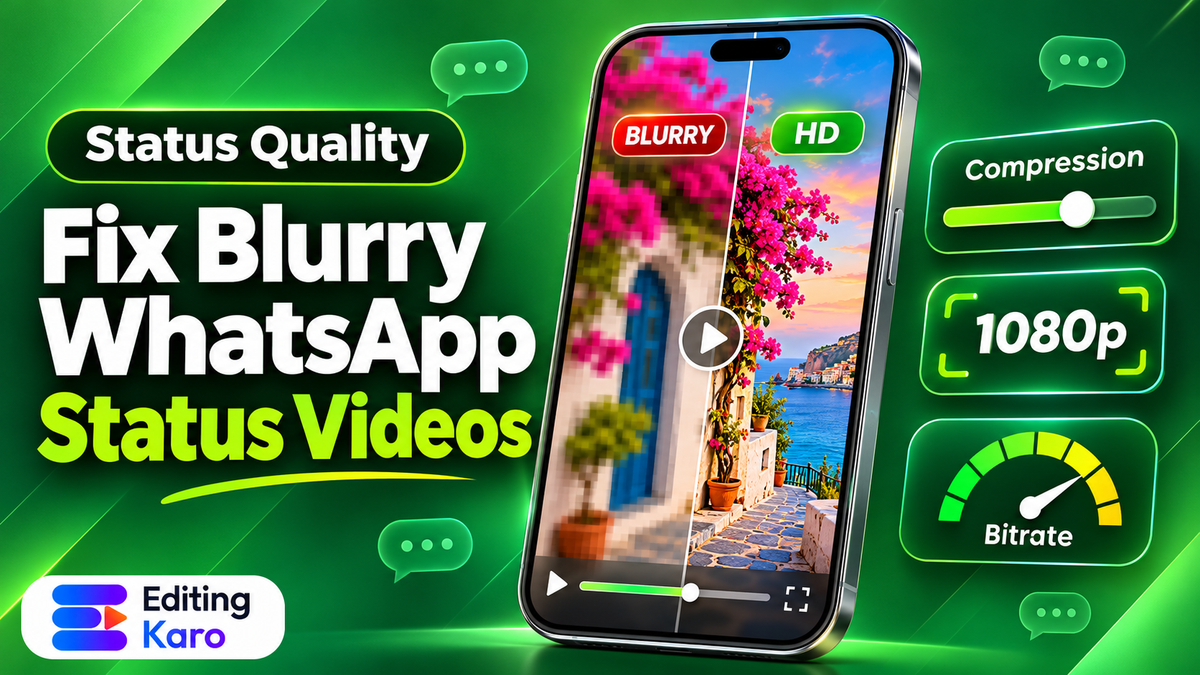
The video looks like it was filmed through a fogged lens: text overlays are blurry, details in clothing or skin are smudged, and rapid motion breaks apart into distracting digital blocks.
The issue is not your camera. The issue is how WhatsApp's compression algorithm handles uploaded media.
Understanding the right whatsapp status video quality settings allows you to bypass the worst of this compression. Master your frame resolutions, bitrate limits, and container settings. When you do, your status clips will look crisp on every smartphone screen.
Why WhatsApp destroys video quality
WhatsApp processes billions of messages and status views every day. The company must keep server hosting costs manageable. It must also ensure media plays smoothly over 3G and 4G mobile connections. To achieve this, WhatsApp runs incoming videos through an automated transcode pipeline.
When you upload a file, WhatsApp checks three primary attributes:
- 1Total file size: Files exceeding WhatsApp's standard threshold are down-sampled aggressively.
- 2Video bitrate: Many phone camera recordings reach 20 Mbps or higher. The compression engine crushes these files down to around 1.5 to 2.5 Mbps using fast, lossy encoding algorithms.
- 3Resolution and aspect ratio: Videos shot in 4K or non-standard aspect ratios are forced into standard vertical profiles. Basic bilinear filters soften sharp edges during this conversion.
As explained in WhatsApp official help documentation, media uploaded to Status is optimized for reliable delivery across varied mobile networks. If you feed the server a bloated file, its aggressive transcoder ruins the image.
The counter-intuitive secret is simple: compress your video properly before uploading it. In our guide on why videos look blurry after upload, we show how pre-compressing video stops platforms from crushing your clarity. When you feed WhatsApp an already optimized, lean file that matches its bitrate profile, the transcode engine barely touches your pixels.
The optimal WhatsApp Status export specifications
To ensure your vertical videos upload with maximum clarity, dial in these exact export settings in your video editor:
| Technical Parameter | Optimal Setting | Why it matters |
|---|---|---|
| Resolution | 1080 × 1920 pixels (Full HD) | Matches standard modern phone displays without letterboxing |
| Aspect Ratio | 9:16 vertical | Fills mobile screens completely |
| Frame Rate | 30 fps (progressive) | Avoids frame dropping caused by 60 fps down-sampling |
| Video Codec | H.264 (AVC) | Universal hardware decoder support on all mobile processors |
| Bitrate Mode | VBR 2-Pass or Target Bitrate | Keeps encoding efficient across still and motion scenes |
| Target Bitrate | 3,500 to 4,200 kbps (3.5 to 4.2 Mbps) | Stays below the trigger threshold for severe server re-encoding |
| Audio Codec | AAC-LC, Stereo, 128 kbps | Crisp vocal delivery without clipping or unnecessary file bloat |
| File Container | MP4 (.mp4) | Universal container format for instant playback |
Step 1: Shoot and edit in 9:16 vertical
Never upload horizontal 16:9 video to WhatsApp Status expecting viewers to rotate their phones. Horizontal clips appear with massive black bars on top and bottom, shrinking your visual content down to less than a third of the screen.
Take a practical example: imagine a boutique owner in Surat showcasing new embroidered silk sarees on WhatsApp Status.
If she uploads a wide 16:9 shot, the intricate zari work becomes an illegible blur. By shooting in 9:16 vertical orientation—or cropping to 1080 × 1920 in an editor—the embroidery fills the screen, allowing customers to appreciate the craftsmanship immediately.
Review our comprehensive guide to Instagram post sizes and aspect ratios to understand why vertical dimensions dominate modern mobile storytelling.
Step 2: Cap your export bitrate between 3.5 and 4.2 Mbps
Most creators assume that exporting at maximum quality (like 50 Mbps 4K) ensures the best result on social media. On WhatsApp, the exact opposite occurs.
When WhatsApp receives a 50 Mbps file, its server decides the file is far too heavy for mobile distribution. It runs a blunt, single-pass compression pass that strips away detail, producing blocky noise around text and edges.
Instead, export your video from your editing software with a targeted bitrate of 3.8 Mbps (3,800 kbps). Because your file is already compact, WhatsApp applies only minimal compression, keeping your lines sharp and colours vibrant.
If your content includes still graphics or photos, you can also format them with our free image resizer to achieve exact 1080 × 1920 dimensions before posting.
Step 3: Handle the duration limit and clip splitting
Historically, WhatsApp Status capped video clips at 30 seconds. While recent app updates have expanded this limit to 60 seconds for many accounts, exceeding the platform limit will cause WhatsApp to truncate your video awkwardly mid-sentence.
To deliver a smooth multi-part story:
- 1Plan in 30 or 60 second chapters: Structure your video so that each segment delivers one complete thought or demonstration.
- 2Split on natural pauses: Never let an automated app slice a word in half. Split your clips on sentence pauses in your video editor.
- 3Add visual continuity: Keep a consistent heading style or numbering badge (such as "Part 1 / 3") in the top corner so viewers know more clips follow.
For businesses communicating with customers daily, our guide on WhatsApp Business marketing for small shops offers proven templates for catalogues, customer updates, and promotional broadcasts.
Step 4: Turn on WhatsApp HD upload settings
WhatsApp has rolled out native HD upload toggles on both iOS and Android. Ensuring these settings are active gives your media the best possible transmission pipeline:
- 1Open WhatsApp Settings on your phone.
- 2Tap Storage and Data → Media upload quality.
- 3Select HD quality (or best quality).
- 4When selecting a video in the status composer, look for the small HD icon at the top of your screen. If available, tap it to ensure high-definition encoding is enabled before hitting send.
Review technical documentation on Meta video encoding standards and transcode pipelines to see how adaptive bitrates prioritize lean initial file deliveries.
Avoiding common compression traps on mobile networks
Beyond bitrate and dimensions, three subtle production details frequently cause WhatsApp videos to deteriorate:
Poor lighting and digital sensor noise
Compression algorithms work by finding areas of the image that do not change from frame to frame. In dim light, smartphone camera sensors produce grainy digital noise. The encoder interprets this grain as rapid movement, wasting massive amounts of your bitrate budget on noise rather than your subject. Always ensure bright, soft lighting on your face or products before recording.
Overly detailed backgrounds
Filming in front of complex brick walls, shaking tree leaves, or glittering fabrics forces the video encoder to allocate data across millions of tiny textures. Filming against a clean solid backdrop or using a soft portrait blur allows the compression engine to dedicate all its bandwidth to your face and product.
Loud or clipping audio tracks
If your microphone audio enters the editor above 0 dBFS, WhatsApp's audio processor will apply a harsh limiter that causes volume pumping and crackles. Keeping your vocal dialogue normalized between -1.5 dBFS and -3 dBFS guarantees clean sound through phone earpieces and speakers.
Doing it in Editing Karo
Editing Karo makes it easy to format, trim, and render professional vertical video clips tailored specifically for mobile messaging and social platforms.
Here is how Motion Studio handles your WhatsApp Status content:
| Feature | Where to find it | What it does |
|---|---|---|
| 9:16 Vertical canvas preset | Motion Studio Canvas | Set exact 1080 × 1920 boundaries with mobile safe-zone guides |
| Timeline splitting & chapters | Motion Studio Timeline | Snip long footage into clean 30-second chapters without audio cuts |
| Automated kinetic subtitles | Text and Captions | Add bold, readable subtitles that viewers can understand with sound off |
| Voiceover & audio leveling | Audio & Recording | Normalize vocal dialogue to -1.5 dBFS to prevent speaker distortion |
| Custom bitrate export presets | Motion Studio Export | Export crisp MP4s with customized bitrates that bypass server compression |
Free users can access all four creative studios to edit and export standard video projects. Upgrading to a Starter or Pro plan removes watermarks and unlocks 1080p and 4K exports for professional social media publishing.
A pre-upload WhatsApp Status checklist
Run through this quick five-point checklist before posting your next video story:
- [ ] Exact 9:16 framing: Is the video exported at 1080 × 1920 pixels without black side bars?
- [ ] Bitrate ceiling: Is your export bitrate set between 3.5 Mbps and 4.2 Mbps?
- [ ] Audio ceiling: Are speech peaks kept under -1.5 dBFS to prevent speaker distortion?
- [ ] Safe margins: Are your captions and logos placed at least 150 pixels away from the top and bottom edges?
- [ ] Duration split: Is your clip trimmed to stay within the 30 or 60 second limit without cutting off speech?
Take control of your video presentation today. Open Motion Studio, set your project canvas to 9:16 vertical, and export clean, high-definition status videos that look sharp for every customer.
Frequently asked questions
What are the best WhatsApp status video quality settings?
Export your video at 1080 × 1920 pixels (9:16 aspect ratio), 30 fps, using H.264 video codec and AAC audio at 128 kbps. Keep your target video bitrate capped between 3.5 Mbps and 4.2 Mbps to prevent severe platform re-compression.
What is the maximum video length for WhatsApp Status?
WhatsApp allows video status clips up to 60 seconds in recent app versions for most users, up from the historical 30-second limit. Videos exceeding the limit must be split into sequential segments before posting.
Why do my WhatsApp Status videos look blurry after uploading?
WhatsApp compresses incoming media aggressively to save mobile bandwidth. If you upload a massive 4K or 50 Mbps file, WhatsApp's server transcoder severely reduces resolution and bitrate, introducing heavy blocky artefacts.
How do I upload WhatsApp Status in HD quality?
In recent WhatsApp app updates, look for the HD button at the top of the media preview screen before hitting send. Tapping HD preserves higher resolution and limits destructive server compression.
What file size limit does WhatsApp have for Status videos?
Individual status media files should stay under 16 MB. Keeping your video file size between 6 MB and 12 MB ensures fast uploading and smooth playback even on slower mobile cellular connections.
Should I export WhatsApp Status videos in 30 fps or 60 fps?
Export at 30 frames per second. WhatsApp downsamples 60 fps video during transcoding, which often causes frame drops, motion stutter, and unnecessary bitrate loss on playback.
Can I post 4K video to WhatsApp Status directly?
Uploading 4K video directly is counter-productive. WhatsApp downscales 4K video using fast, lossy bilinear filters. Downscaling your footage cleanly to 1080p in your video editor produces a significantly sharper result.
What video format does WhatsApp Status support best?
MP4 container format with H.264 video encoding and AAC audio is the universal standard across both Android and iOS devices, ensuring instant playback without transcoding errors.
Why does audio in WhatsApp Status get distorted?
If your master audio track peaks above 0 dBFS or contains heavy low-frequency rumble, WhatsApp's audio encoder introduces harsh clipping distortion. Normalize dialogue peaks to -1.5 dBFS before export.
How can small shops use WhatsApp Status videos effectively?
Shops can showcase new arrivals, customer reviews, unboxing clips, and daily flash discounts. Keep videos under 20 seconds with bold pricing text overlays so viewers can read without pausing.
How do I split a long video into exact WhatsApp Status clips?
Use a multi-track editor to set markers every 30 or 60 seconds, or export sequential parts with matching audio fade transitions so viewers experience smooth continuous playback across stories.
Does WhatsApp Web support uploading Status videos?
Yes, recent versions of WhatsApp Web and desktop clients support posting text and media status updates. However, mobile phone uploads with the HD toggle often yield better compression control.
What is the recommended audio bitrate for WhatsApp Status?
Set your audio bitrate to 128 kbps or 160 kbps in stereo or mono, sampled at 44.1 kHz or 48 kHz. Higher audio bitrates consume valuable file size budget without noticeable quality gains.
How to fix WhatsApp Status video quality settings on Android?
Open WhatsApp Settings, navigate to Storage and Data, select Media Upload Quality, and choose HD Quality. Also ensure Data Saver is turned off during video uploads.
Does WhatsApp compress Status videos differently than chat videos?
Yes, Status media is hosted on delivery servers for 24-hour broadcast viewing and undergoes heavier compression than document attachments sent inside individual private chats.
Can I send video as a document to preserve full quality?
Sending a video as a document inside a chat preserves original bitrates up to 2 GB, but documents cannot be posted directly as a 24-hour Status story.
What is the aspect ratio for WhatsApp Status video?
The standard aspect ratio is 9:16 vertical, which fills mobile phone screens edge to edge without black letterbox bars on the sides.
How do I create WhatsApp Status videos in Editing Karo?
Open Motion Studio, choose the 9:16 vertical canvas preset, import your clips, add bold animated captions, and export with optimized 1080p bitrate presets.
Can I resize photos for WhatsApp Status in Editing Karo?
Yes, you can use the free Image Resizer or Pixel Studio to format still images to 1080 × 1920 pixels, ensuring photos fill the phone screen without awkward zoom cropping.
Is there a watermark on WhatsApp Status videos made in Editing Karo?
Exports on Free plans include a small watermark. Upgrading to a Starter or Pro plan provides completely clean, unwatermarked exports suitable for brand marketing and client work.