EditingKaro
PixelVisionMotionContentPricingFAQFree toolsBlog
homefeaturesbackground-remover
Pixel StudioAI photo tool

Free Background Remover
one click, clean edges.

Remove the background from any image in one click. The background remover cuts out people, products, logos and signatures cleanly, then lets you drop the cutout on a new background and finish the design in the same tab.

How it works
  • Free plan to try it
  • Works in your browser
  • Finish the design in the same tab
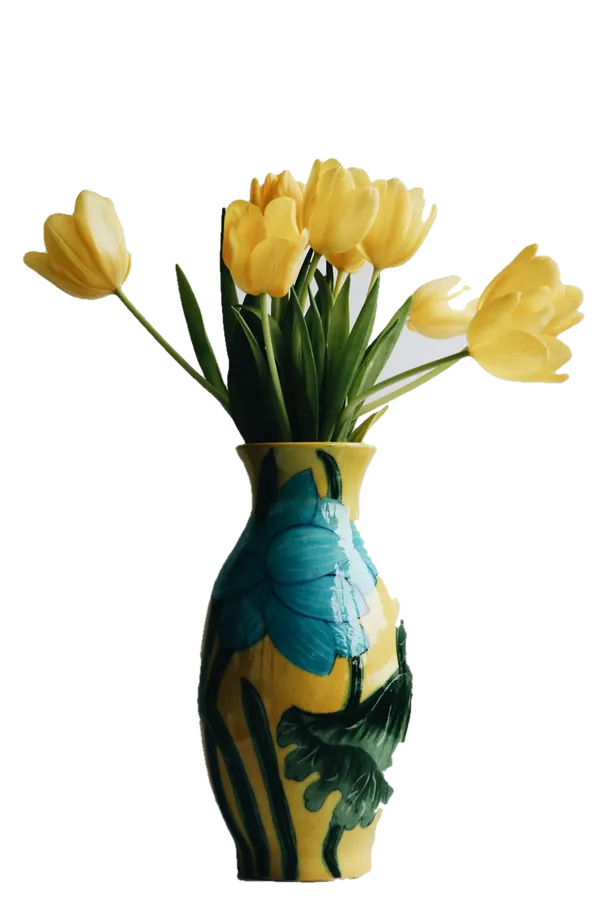
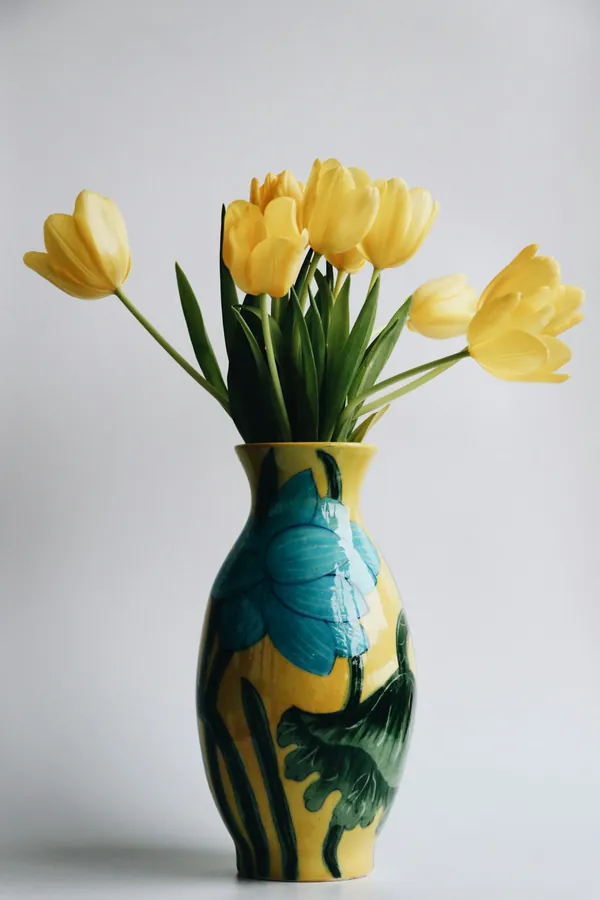
tulip-vase.pngExport
PhotoCut out
1200 × 1800 · PNG

AI tools

Background Remover

Working… 1 credit

  • Replace Background
  • Magic Eraser
  • Generative Fill
  • AI Image Restore
  • Super Resolution 4K
to cut out the subject
1 click
per removal
1 credit
AI photo tool uses a month
4 free
export formats
PNG · JPG · PDF
How it works

How to use the background remover
in 3 steps.

  1. 01

    Add your photo

    Open Pixel Studio, start a design at any size and upload a photo, or drag it straight onto the canvas.

  2. 02

    Click Background Remover

    Select the image, open AI Tools and choose Background Remover. The subject is cut out and added to your canvas as a new version.

  3. 03

    Place it and export

    Put the cutout on a colour, a gradient, a photo or a template, add text, then export a PNG, JPG or PDF.

What it does

Everything the background remover does, in one tab.

Automatic cutouts with clean edges

The AI finds the subject on its own — a person, a product, a pet, a logo — and keeps fine edges like hair and fabric. No brushes, no manual selection.

Background remover for product photos

Turn phone photos into catalogue-style shots for Amazon, Flipkart, Meesho and your Instagram shop. Remove the clutter, then place the product on plain white or a styled backdrop.

Background remover for signatures and logos

Cut a signature off white paper or a logo off its box so it sits cleanly on documents, letterheads and invoices. Paid plans export it as a transparent PNG.

Change the background, not just remove it

Put the cutout on a solid colour, a gradient or another photo — or use Replace Background to describe a new scene, like a marble counter in soft morning light.

Your cutout stays editable

The result lands on the canvas as its own layer. Move it, resize it, add a shadow, frame it or layer text behind it, then undo any step.

From photo to finished post in one tab

Most tools stop at a download. Here the cutout is already inside a design editor with templates, fonts and formats for every platform.

Made for

Who uses the background remover, and for what.

  • 01

    Online sellers

    Clean, consistent product photos for Meesho, Amazon, Flipkart and WhatsApp catalogues, all on the same white or brand-colour background.

  • 02

    Passport, CV and ID photos

    Remove a busy background and put the portrait on plain white or light blue for forms, résumés and LinkedIn.

  • 03

    Creators and thumbnails

    Cut yourself out of a frame and put the cutout on a bold YouTube thumbnail or Reel cover, with big text behind you.

  • 04

    Small businesses and brands

    Logos without their old background, product shots for festive offers, and team photos that match on one backdrop.

// Guide

  1. Start with the sharpest photo you have
  2. Remove the background from product photos
  3. Signatures, logos and transparent PNGs
  4. Passport and CV photos on a white background
  5. When to replace the background instead
  6. What the Free plan includes

How to remove a background without losing quality

A background remover is only as good as the photo you give it and what you do with the cutout afterwards. These are the habits that give clean results every time.

Start with the sharpest photo you have

The AI separates the subject from the background by its edges, so a sharp photo gives a sharp cutout. Shoot in good light, keep the subject in focus and leave a little space around it. If the photo is small or soft, run Super Resolution 4K or the AI photo enhancer first, then remove the background.

Remove the background from product photos

For listings, consistency sells. Shoot every product from the same height, remove the backgrounds, then place each one on the same plain white or brand colour at the same size. Add a soft shadow under the product so it doesn't look like it's floating. Marketplaces such as Amazon and Flipkart prefer a pure white background for the main image.

Signatures, logos and transparent PNGs

To use a signature or logo on other documents you need a transparent PNG — an image whose background is see-through. Remove the background, check the edges at full zoom, then export as PNG with a transparent background. Transparent PNG export is included on every paid plan; on the Free plan, place the cutout on a colour and export a PNG or JPG instead.

Passport and CV photos on a white background

Remove the background, add a white (or light blue) rectangle behind the portrait, and set the canvas to the size the form asks for. Keep the head and shoulders centred and leave space above the head. Check the form's own rules for size and background colour before you submit.

When to replace the background instead

If you want a new scene rather than a plain colour, use Replace Background in the same AI Tools panel and describe it: a wooden table by a sunny window. It keeps your subject and generates a matching background around it, with light that suits the scene.

What the Free plan includes

Every account can try the background remover: the Free plan includes 4 AI photo tool uses a month. Each removal costs 1 credit. Paid plans remove the monthly cap, export without a watermark and add transparent PNG. See pricing for the details.

Pricing

What's free, what's paid.

The background remover is part of Pixel Studio. Every account starts on the Free plan; upgrade only when you need more.

Free plan · ₹0

  • 4 AI photo tool uses a month
  • 50 credits a month
  • 10 saved designs
  • Exports up to 720p, with a small watermark

Paid plans

  • Starter plan and up, from ₹499 a month
  • AI photo tools with no monthly cap, paid from your credits
  • Watermark-free exports up to 4K and transparent PNG
  • Magic AI designs and unlimited saved designs
Compare plans

// FAQ

Background Remover questions.

Something else? Ask us — a person replies.

Yes, you can use it on the Free plan, which includes 4 AI photo tool uses a month. Paid plans from ₹499 a month remove that cap; each removal costs 1 credit.

Upload the photo in Pixel Studio, select it, open AI Tools and click Background Remover. The cutout appears on your canvas, ready to place on a new background and export.

Yes, on any paid plan: export as PNG with a transparent background. On the Free plan you can place the cutout on a colour or photo and export a PNG or JPG.

No — the cutout keeps the detail of your original photo. If the original is small or blurry, upscale or enhance it first for a sharper result.

Yes. Remove the background, add a white shape behind the portrait and set the canvas to the size you need. Always check the size rules of the form you are filling in.

Yes. It's built for that: remove the background, put every product on the same white or brand-colour backdrop and export them at the marketplace's size.

Yes. Photograph the signature on plain paper in good light, remove the background, then export a transparent PNG (paid plans) to place it on documents.

Yes. Place the cutout on any colour, gradient, photo or template, or use Replace Background and describe the new scene for the AI to generate.

Your photos are stored in your own account and are not shown to anyone else. Read the Privacy Policy for how files are handled.

// Keep going

More features you'll use with it

All features
ai photo tool

Image Upscaler

Make small images up to 4× bigger with AI that adds detail, not blur. Then design and export in one tab.

Pixel StudioOpen
ai photo tool

AI Photo Enhancer

Fix dark, dull or soft photos in one click, and restore old pictures, with AI.

Pixel StudioOpen
ai photo tool

Remove Object from Photo

Paint over people, text or clutter in a photo and Magic Eraser removes it and fills the gap.

Pixel StudioOpen
ai generation

AI Image Generator

Describe an image and generate it with top models like Nano Banana Pro and GPT Image. Cost shown first.

Vision StudioOpen
ai photo tool

Change Background of Photo

Keep the subject, swap the scene: describe a new background, or drop the photo on a colour or template.

Pixel StudioOpen
ai photo tool

AI Image Extender

Extend a photo past its edges with matching content, to fit any shape or make room for text.

Pixel StudioOpen

// Keep going

Make something with Pixel Studio

Everything you can make
design maker

YouTube Thumbnail Maker

Thumbnails at 1280 × 720 with real templates, background removal and bold titles that read on a phone.

Pixel StudioOpen
design maker

Instagram Post Maker

4:5 and square Instagram posts from real templates, with brand colours, font pairings and AI photo tools.

Pixel StudioOpen
design maker

Instagram Story Maker

Full-screen 9:16 story designs from real templates, with safe areas kept clear of Instagram's buttons.

Pixel StudioOpen

// Learn more

Guides and tips

Read the Pixel Studio docs
Black wireless headphones photographed on a bright yellow background

Small business·7 Oct 2026

AI Product Photos for Small Sellers: What Works, What Looks Fake, and What Marketplaces Allow

Instagram app icon on a pink gradient background

Social media·29 Sept 2026

Instagram Post Sizes in 2026: The Complete Guide for Posts, Stories and Reels

Red YouTube play button icon on a dark background

Design·29 Sept 2026

How to Design a YouTube Thumbnail People Actually Click

Free Background Remover, right now.

Remove the background from any photo in one click, then put the cutout on a new background or design.

EditingKaro

Design, video, AI generation and writing. Four studios in one browser tab.

Product

  • Pixel Studio
  • Motion Studio
  • Vision Studio
  • Content Studio
  • Features
  • Create
  • Free tools
  • Pricing

Company

  • About us
  • Contact us
  • Send feedback
  • Blog
  • Docs
  • FAQ
  • All policies

Legal

  • Privacy Policy
  • Terms of Service
  • Cookie Policy
  • Acceptable Use
  • AI Usage Policy
  • Copyright / DMCA

Billing

  • Refund & Cancellation
  • Subscription & Billing
  • Credits Policy
  • Service Delivery

© 2026 Editing Karo. All rights reserved.

Made withlovein India

326 Patparganj Industrial Area, Delhi - 110092, India