EditingKaro
PixelVisionMotionContentPricingFAQFree toolsBlog
homecreatelogo-maker
Pixel StudioDesign maker

Logo Maker
simple, clear, yours.

Design a logo online with a free logo maker that opens a square 1000 × 1000 canvas. Combine your business name with a font pairing, shapes and icons, try a few colour versions, save it to your brand kit, and download it for your shop board, social profiles and packaging.

How it works
  • Free plan to try it
  • Works in your browser
  • Finish the design in the same tab
goa-weekend.designExport

Weekend
in Goa

Headline · text

3 days · 2 nights

Book now →

Text

Font combinations

Weekend in Goa

serif heading + sans body

Weekend in Goa

bold display

Colour

Effects

ShadowOutline
square logo canvas
1000 × 1000
use it on every design
Brand kit
on paid plans
Transparent PNG
colour, mono and icon-only
Versions
How it works

How to make a logo
in 3 steps.

  1. 01

    Open the logo canvas

    Click Make a logo for a square 1000 × 1000 canvas.

  2. 02

    Build it from name, font and mark

    Type your business name, pick a font combination, add a simple shape or icon, and try two or three colour options.

  3. 03

    Save it and download

    Add the finished logo to your brand kit, then download a PNG. Paid plans export it with a transparent background.

What it does

Everything the logo maker does, in one tab.

Text logos with font pairings

Most small-business logos are the name in a good font. Font combinations pair a strong display font with a clean tagline font.

Shapes, icons and lines

Add a circle, badge, leaf, house or any shape from the graphics library as a simple mark beside your name.

Logo colours that work everywhere

Pick one or two colours, then make a black and a white version so the logo works on any background.

Saved to your brand kit

Save the logo to your brand kit and place it on posts, flyers, videos and thumbnails in one click.

Transparent PNG logo

On paid plans, export the logo with a transparent background so it sits on photos and colours without a white box.

Every version you need

Duplicate the design for a horizontal logo, a stacked logo and an icon-only version for profile pictures.

Made for

Who uses the logo maker, and for what.

  • 01

    New shops and startups

    A first logo for the board, bills, bags and Instagram profile.

  • 02

    Home businesses

    Logos for cakes, candles, clothing and tiffin services sold on WhatsApp and Instagram.

  • 03

    Creators and channels

    A simple mark for your YouTube channel, watermark and merch.

  • 04

    Events and teams

    Logos for fests, tournaments, clubs and community groups.

// Guide

  1. Start with your name
  2. Add a simple mark, if any
  3. Use one or two colours
  4. Check it small and in black
  5. Make the versions you'll need
  6. Save it to your brand kit
  7. Export the right file
  8. Want AI to try ideas?
  9. What's free

How to design a simple logo that works everywhere

A logo has to work at the size of a profile picture and on a big shop board, in colour and in black and white. Simple wins.

Start with your name

For most small businesses, the logo is the name in a well-chosen font — a wordmark. It's clear, easy to read and easy to remember. Pick a font combination that fits your business: a serif for a classic or premium feel, a rounded sans for friendly, a bold sans for modern. Our logo design guide for small businesses goes deeper.

Add a simple mark, if any

A mark is a small shape or icon beside or above the name: a leaf for organic food, a house for real estate, a spoon for a tiffin service. Keep it simple — it must still be clear when the logo is tiny.

Use one or two colours

One main colour, perhaps one accent. Too many colours make a logo hard to print and hard to remember. Our brand colour palette guide helps you choose.

Check it small and in black

Zoom out until the logo is the size of a WhatsApp profile picture. Can you still read it? Then make an all-black and an all-white version — you'll need them for stamps, receipts and dark backgrounds.

Make the versions you'll need

  • Horizontal: mark beside the name, for websites and letterheads.
  • Stacked: mark above the name, for square spaces.
  • Icon only: the mark or initials, for profile pictures and app icons.

Duplicate the design for each version.

Save it to your brand kit

Add the logo to the brand kit so it's one click away on every post, flyer and video. Save your logo colours there too.

Export the right file

Export a PNG. On paid plans, switch on the transparent background so the logo sits on any colour without a white box. For print shops, a large PNG at 4K works for most boards and stickers.

Want AI to try ideas?

Generate logo ideas and mood references with the AI image generator, then rebuild the one you like here as clean, editable shapes and text.

What's free

The logo canvas, fonts, shapes and brand kit are on the Free plan, with exports up to 720p and a small watermark. A transparent PNG without a watermark needs a paid plan, from ₹499 a month. See pricing.
Pricing

What's free, what's paid.

The logo maker is part of Pixel Studio. Every account starts on the Free plan; upgrade only when you need more.

Free plan · ₹0

  • 4 AI photo tool uses a month
  • 50 credits a month
  • 10 saved designs
  • Exports up to 720p, with a small watermark

Paid plans

  • Starter plan and up, from ₹499 a month
  • AI photo tools with no monthly cap, paid from your credits
  • Watermark-free exports up to 4K and transparent PNG
  • Magic AI designs and unlimited saved designs
Compare plans

// FAQ

Logo Maker questions.

Something else? Ask us — a person replies.

You can design and save a logo on the Free plan. Free exports go up to 720p with a small watermark; a watermark-free, transparent PNG needs a paid plan from ₹499 a month.

Yes, on paid plans. Choose PNG and switch on the transparent background.

Design it on the 1000 × 1000 canvas and export large. It scales down cleanly for profiles and up for print.

Yes, a logo you design is yours to use. Paid plans include a commercial licence; avoid copying other brands' logos.

Yes, with a font that supports Devanagari. Many local brands use both Hindi and English versions.

Save it to the brand kit and place it on any design or video in one click.

Yes. Make an icon-only version for the channel picture and a wide version for the banner.

You can apply to register a logo you designed yourself. Check that it doesn't resemble an existing mark first.

A large PNG, ideally with a transparent background. For signboards, export at the highest size your plan allows.

// Keep going

Tools you'll use for it

All features
ai generation

AI Image Generator

Describe an image and generate it with top models like Nano Banana Pro and GPT Image. Cost shown first.

Vision StudioOpen
ai photo tool

Background Remover

Remove the background from any photo in one click, then put the cutout on a new background or design.

Pixel StudioOpen
design tool

Add Text to Photo

Put headlines, captions and prices on any photo, with font pairings that look designed.

Pixel StudioOpen

// Keep going

More things to make

Everything you can make
design maker

YouTube Banner Maker

YouTube channel art at 2560 × 1440 with the phone-safe centre area kept in mind.

Pixel StudioOpen
design maker

Banner Maker

Wide banners for websites, sales and events from real templates, at 1920 × 1080 or any size you type.

Pixel StudioOpen
design maker

Instagram Post Maker

4:5 and square Instagram posts from real templates, with brand colours, font pairings and AI photo tools.

Pixel StudioOpen
design maker

Flyer Maker

A4 flyers for businesses, offers and events, from real templates, printed as PDF or shared as an image.

Pixel StudioOpen
design maker

YouTube Thumbnail Maker

Thumbnails at 1280 × 720 with real templates, background removal and bold titles that read on a phone.

Pixel StudioOpen
design maker

Instagram Story Maker

Full-screen 9:16 story designs from real templates, with safe areas kept clear of Instagram's buttons.

Pixel StudioOpen

// Learn more

Guides and tips

Read the Pixel Studio docs
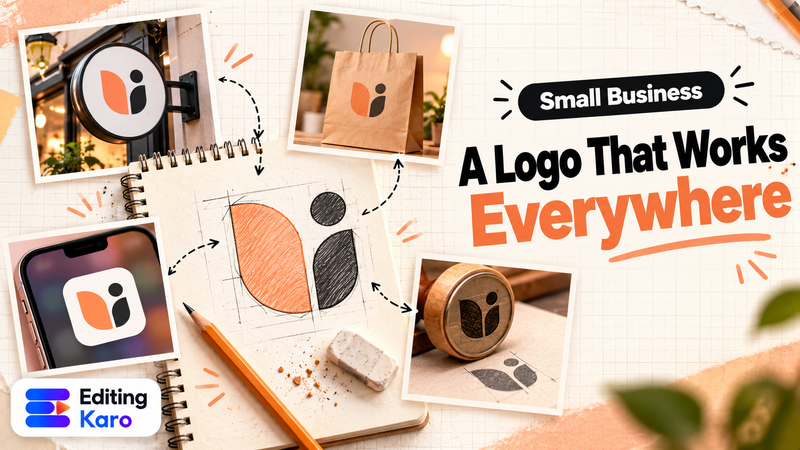
Logo sketches on paper next to a finished minimal logo shown on a shop sign, a phone app icon and a paper bag

Branding·30 Oct 2026

How to Make a Logo for Your Small Business (and What to Check Before You Print It)

Designer's desk with a colour swatch book and colour samples

Branding·29 Sept 2026

How to Choose a Colour Palette for Your Brand (Without a Designer)

Rows of vintage wooden letterpress type

Design·29 Sept 2026

Font Pairing for Social Media: 7 Rules That Make Designs Look Professional

Logo Maker, right now.

Simple logos from your name, fonts, shapes and icons, saved to your brand kit for every design.

EditingKaro

Design, video, AI generation and writing. Four studios in one browser tab.

Product

  • Pixel Studio
  • Motion Studio
  • Vision Studio
  • Content Studio
  • Features
  • Create
  • Free tools
  • Pricing

Company

  • About us
  • Contact us
  • Send feedback
  • Blog
  • Docs
  • FAQ
  • All policies

Legal

  • Privacy Policy
  • Terms of Service
  • Cookie Policy
  • Acceptable Use
  • AI Usage Policy
  • Copyright / DMCA

Billing

  • Refund & Cancellation
  • Subscription & Billing
  • Credits Policy
  • Service Delivery

© 2026 Editing Karo. All rights reserved.

Made withlovein India

326 Patparganj Industrial Area, Delhi - 110092, India