EditingKaro
PixelVisionMotionContentPricingFAQFree toolsBlog
homecreatequote-maker
Pixel StudioDesign maker

Quote Maker
words worth saving.

Make quote posts online with a free quote maker. Put a quote, a thought or a good-morning message on a beautiful background with fonts that suit the words, add your name or handle, and share it on Instagram, WhatsApp or as a status.

How it works
  • Free plan to try it
  • Works in your browser
  • Finish the design in the same tab
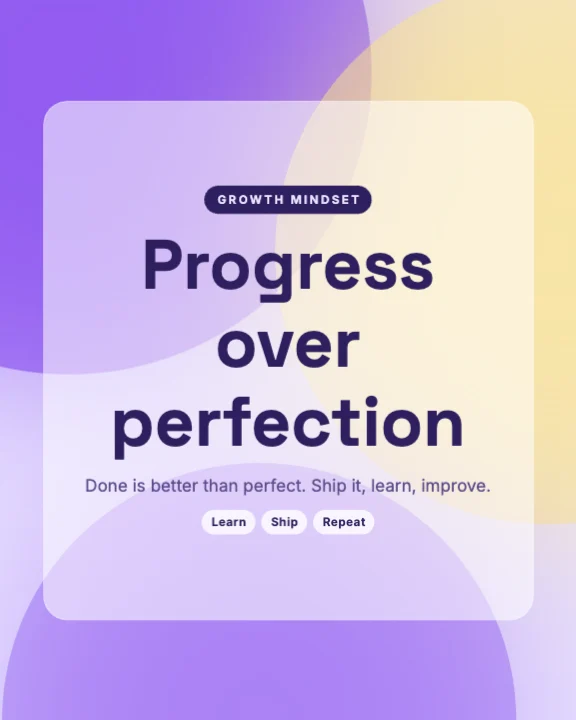
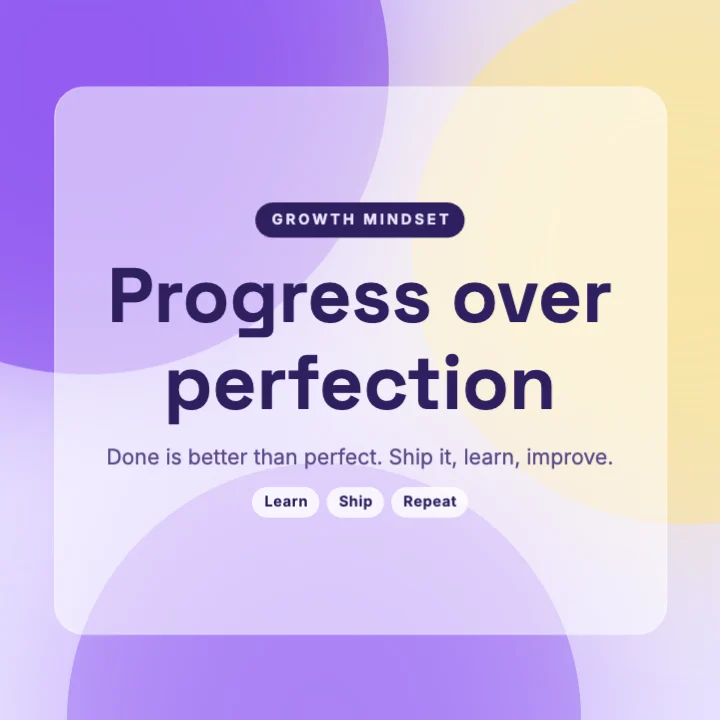
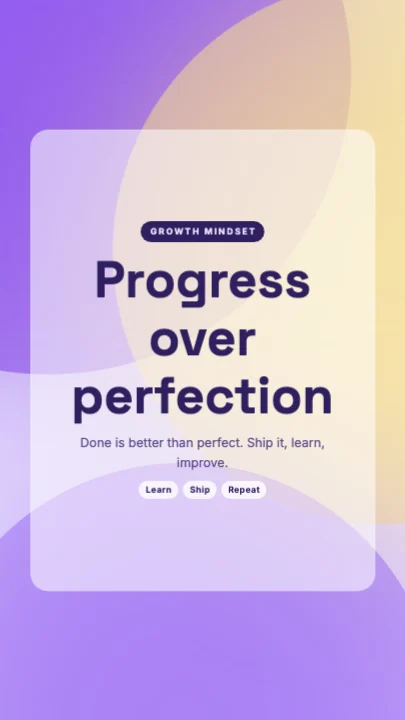
Growth Mindset - Story templateInstagram Post · 1,080 × 1,350 px
made for quotes
Font pairs
on every post
Your handle
4:5, square and 9:16
Post · Story
one look for a whole week
Series

// Templates

Quote templates to start from.

Pick one and every word, colour, photo and font stays editable. Or start blank at 1,080 × 1,350 px.

How it works

How to make a quote
in 3 steps.

  1. 01

    Pick a quote template

    Choose a quote design on this page, or click Make a quote post for a blank 4:5 canvas.

  2. 02

    Type your quote

    Paste the quote, credit the author, add your name or handle, and change the background or colours.

  3. 03

    Share it

    Download a PNG or JPG for Instagram, or a 9:16 version for WhatsApp status and stories.

What it does

Everything the quote maker does, in one tab.

Quote fonts that match the mood

Serif pairings for wisdom, bold sans for motivation, handwritten script for love and gratitude — ready-made combinations.

Backgrounds that keep words readable

Calm photos, soft gradients and solid colours, with a shadow or overlay so the quote always reads.

Your name or handle on every quote

Save your handle as a text style in the brand kit and place it in the same spot on every post.

Motivational and spiritual quote templates

Motivation, success, mindfulness, gratitude, good morning and festival thoughts.

A week of quotes in one sitting

Duplicate a design and change only the words to make a matching series for your grid.

Every social size

4:5 and square for the feed, 9:16 for stories and WhatsApp status.

Made for

Who uses the quote maker, and for what.

  • 01

    Motivation and coaching pages

    Daily quotes in one style that builds a recognisable feed.

  • 02

    Good morning and wishes

    Morning messages and festival thoughts for family groups and status.

  • 03

    Authors and poets

    Lines from your own book or poems, credited to you.

  • 04

    Brands

    Founder quotes and customer reviews as shareable posts.

// Guide

  1. Let the words breathe
  2. Choose a font for the feeling
  3. Keep the background calm
  4. Credit the author
  5. Brand every post
  6. Make a series
  7. Post it with a caption
  8. Make a status version
  9. What's free

How to make quote posts people save and share

Quote posts are some of the most saved and shared posts on Instagram and WhatsApp — when they're easy to read and look calm. Here's how to make yours stand out.

Let the words breathe

Give the quote space. Put it in the middle, at a comfortable size, with generous margins. If it's long, cut it — the strongest quotes are one or two lines.

Choose a font for the feeling

  • Serif fonts feel wise and timeless — good for philosophy and spiritual quotes.
  • Bold sans fonts feel strong and modern — good for motivation.
  • Script fonts feel warm and personal — good for love, gratitude and wishes.

The font combinations pair one of these with a simpler font for the author's name. Our font pairing guide explains why.

Keep the background calm

A busy photo fights the words. Use a soft photo, a gentle gradient or a solid colour. If you use a photo, add a dark or light overlay so the text stays readable — see our readable text guide.

Credit the author

Always credit who said it. If it's your own line, add your name. It builds trust and, for your own words, recognition.

Brand every post

Put your name or handle small and in the same corner every time. Save it as a text style in the brand kit so it's one click on each new quote.

Make a series

Pick one template and use it for a whole week: same layout, fonts and colours, different words. Your grid looks planned and people recognise your posts in their feed.

Post it with a caption

Add a line about why the quote matters to you — that's what gets comments. The Instagram caption generator can draft captions, and the hashtag generator suggests tags that fit.

Make a status version

Change the canvas to 1080 × 1920 in Settings for WhatsApp status and stories. For good-morning wishes and greetings made for WhatsApp, also see the WhatsApp status maker.

What's free

Quote templates and 10 saved designs are on the Free plan. Free exports go up to 720p with a small watermark; paid plans from ₹499 a month remove it. See pricing.
Pricing

What's free, what's paid.

The quote maker is part of Pixel Studio. Every account starts on the Free plan; upgrade only when you need more.

Free plan · ₹0

  • 4 AI photo tool uses a month
  • 50 credits a month
  • 10 saved designs
  • Exports up to 720p, with a small watermark

Paid plans

  • Starter plan and up, from ₹499 a month
  • AI photo tools with no monthly cap, paid from your credits
  • Watermark-free exports up to 4K and transparent PNG
  • Magic AI designs and unlimited saved designs
Compare plans

// FAQ

Quote Maker questions.

Something else? Ask us — a person replies.

Yes. Free exports go up to 720p with a small watermark. Paid plans from ₹499 a month remove the watermark.

1080 × 1350 (4:5) for the Instagram feed, 1080 × 1080 for square, and 1080 × 1920 for stories and WhatsApp status.

Yes, with a font that supports Devanagari. Shayari and Hindi quotes work well with serif or script fonts.

Yes. Save your handle as a text style in the brand kit and add it in one click.

Credit the author. Short quotes from well-known people are commonly shared; for longer extracts from books, check the rights.

Yes. Duplicate a design and change only the words to make a matching series.

Yes. Use your own photo or search backgrounds, and add an overlay so the text stays readable.

Yes. Add the design to a 9:16 video in the reel maker, with music and text that animates in.

Motivation, self-growth, gratitude and relatable everyday thoughts are saved and shared most, especially in a consistent style.

Yes. Add pages to one design, one line per page, and post them as a carousel with the Instagram carousel maker.

// Keep going

Tools you'll use for it

All features
design tool

Add Text to Photo

Put headlines, captions and prices on any photo, with font pairings that look designed.

Pixel StudioOpen
ai writing

Instagram Caption Generator

Captions with a strong first line and fitting hashtags, in English, Hinglish, Hindi and more.

Content StudioOpen
ai writing

Hashtag Generator

Grouped hashtag sets — wide reach, niche and brand — for Instagram, Reels, Shorts and Facebook.

Content StudioOpen

// Keep going

More things to make

Everything you can make
design maker

Instagram Post Maker

4:5 and square Instagram posts from real templates, with brand colours, font pairings and AI photo tools.

Pixel StudioOpen
design maker

WhatsApp Status Maker

Full-screen 9:16 status images for wishes, offers and updates, with your shop name on each one.

Pixel StudioOpen
design maker

Instagram Story Maker

Full-screen 9:16 story designs from real templates, with safe areas kept clear of Instagram's buttons.

Pixel StudioOpen
video maker

Reel Maker

Vertical 9:16 Reels with clips, music, titles and read-along captions, exported as MP4.

Motion StudioOpen
design maker

YouTube Thumbnail Maker

Thumbnails at 1280 × 720 with real templates, background removal and bold titles that read on a phone.

Pixel StudioOpen
design maker

Poster Maker

A4 posters from real templates for sales, events and classes, exported as PDF for print or JPG to share.

Pixel StudioOpen

// Learn more

Guides and tips

Read the Pixel Studio docs
Rows of vintage wooden letterpress type

Design·29 Sept 2026

Font Pairing for Social Media: 7 Rules That Make Designs Look Professional

A designer's desk seen from above with sketches, coloured markers and a phone

Design·7 Oct 2026

Why Nobody Can Read Your Post: Text Contrast and Legibility for Social Media Designs

Fountain pen writing on lined paper

Social media·29 Sept 2026

How to Write Instagram Captions People Actually Read

Quote Maker, right now.

Quote posts and good-morning images with font pairings, backgrounds and your handle on every one.

EditingKaro

Design, video, AI generation and writing. Four studios in one browser tab.

Product

  • Pixel Studio
  • Motion Studio
  • Vision Studio
  • Content Studio
  • Features
  • Create
  • Free tools
  • Pricing

Company

  • About us
  • Contact us
  • Send feedback
  • Blog
  • Docs
  • FAQ
  • All policies

Legal

  • Privacy Policy
  • Terms of Service
  • Cookie Policy
  • Acceptable Use
  • AI Usage Policy
  • Copyright / DMCA

Billing

  • Refund & Cancellation
  • Subscription & Billing
  • Credits Policy
  • Service Delivery

© 2026 Editing Karo. All rights reserved.

Made withlovein India

326 Patparganj Industrial Area, Delhi - 110092, India